
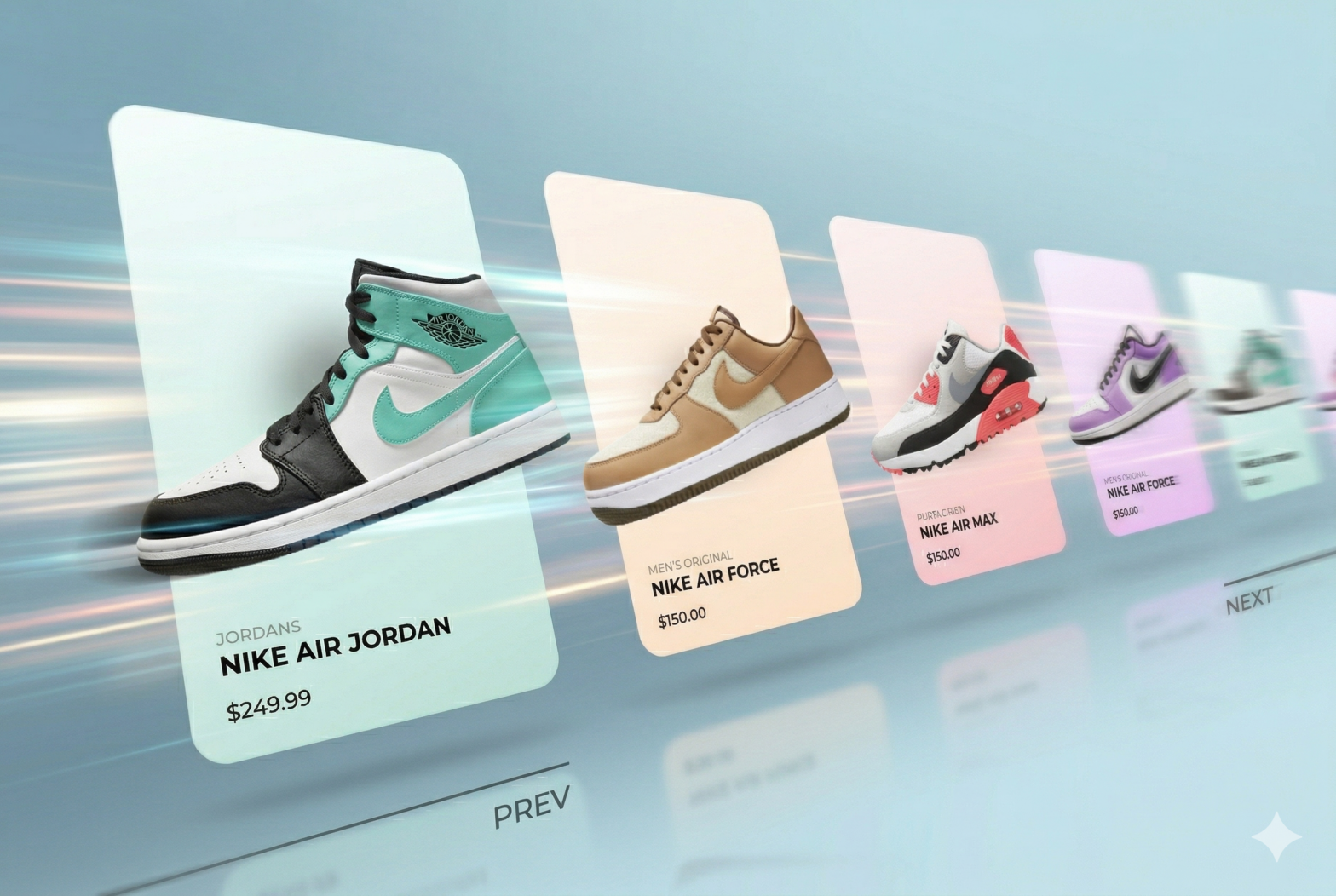
There are carousels almost everywhere on the web. It’s usually straightforward with plugins.
When it comes to enrich the carousel with animation, it’s usually done when the slides are changing. This works great when the speed is always the same and when you must click on a button to change the current slide.
However, as soon as the carousel is draggable (mobile for example, drag and drop or mouse scrolling), it becomes a bit annoying.
That’s where animating your elements based on the percentage of the slider become a must have.
SwiperJS is actually a great tool to do it, since it gives us function to observe the slider progress.
Here is the final result:
Let’s dive into the code.
For the HTML base, there is nothing too interesting here. We follow the documentation for the slides and use a little bit of CSS to style them:
<div class="swiper co-carousel">
  <div class="swiper-wrapper">
    <div class="swiper-slide co-carousel__slide">
      <div class="co-card">
        <div class="co-card__shoe">
          <img class="co-card__shoe-img" src="assets/nike1.png" alt="" />
          <span class="co-card__shoe-shadow"></span>
        </div>
        <div class="co-card__info">
          <div class="co-card__collection text-mask">
            <span>Men's Original</span>
          </div>
          <div class="co-card__title text-mask">
            <span>Nike Air Force</span>
          </div>
          <div class="co-card__price text-mask"><span>$150.00</span></div>
        </div>
      </div>
    </div>
  </div>
</div>
Note that for the text, we are hiding it to create this “apparition” effect:
.text-mask{
    overflow: hidden;
    span{
        display: inline-flex;
    }
}
The animation
All the animation will be handled within the JavaScript slider configuration.
First, let’s set up the base of the carousel:
import Swiper from "swiper";
import { Navigation } from "swiper/modules";

const swiper = new Swiper(".swiper", {
  modules: [Navigation],
  loop: false,
  watchSlidesProgress: true, // allows to use each slide progress: this.slides[i].progress
  speed: 1000,
  grabCursor: true,

  navigation: {
    nextEl: ".co-carousel__nav-button.next",
    prevEl: ".co-carousel__nav-button.prev",
  },
});
At this point, it should work normally: allowing you to navigate via drag-and-drop or by clicking the navigation buttons.
In order to animate elements, we want to hook into the progress event. This is triggered every time the carousel is moved. You can use it like this:
const swiper = new Swiper(".swiper", {
  //...

  on: {
    progress: function (swiper) {
      swiper.slides.forEach((slide, index) => {
        const progress = slide.progress;
      });
    },
  },
});
For each slide, we can access the progress property. The value is a number:
- When the value is 0, the slide is perfectly centered.
- A value of 1 means the slide is one position to the right.
- A value of -1 means it is one position to the left.
- If there are 5 slides on the DOM, it will be between -2 and 2, where 2 will be the 2nd position etc…
To get the percentage of the current slides, we can simply use progress*100. Based on this value, we can animate almost any CSS property.
For example, to animate the text inside the mask, we can use this logic:
on: {
    progress: function (swiper) {
      swiper.slides.forEach((slide, index) => {
        const progress = slide.progress;
        if (progress >= -1 && progress <= 1) {
          const progressPositive = Math.abs(progress);
          const textMaskY = progressPositive * 50;
          const textsMask = slide.querySelectorAll(".text-mask span");
          textsMask.forEach((t, i) => {
            t.style.transform = `translate3d(0,${textMaskY * (i + 1)}px,0)`;
          });
        }
      });
    }
}
(If you look at the code on GitHub, we animate all the elements, not only the text)
However, you might notice a problem: while this works perfectly during a drag-and-drop interaction, the animation is “lost” the moment you stop dragging and the slider “snaps” into place. The same thing happens when you click the navigation buttons.
That’s an expected behavior since the progress event is only triggered when you drag and drop. For other animations, we want to use the setTransition event.
const swiper = new Swiper(".swiper", {
  //...

  on: {
    // ...
    setTransition: function (swiper, speed) {
      swiper.slides.forEach((slide) => {
        const textsMask = slide.querySelectorAll(".text-mask span");
        textsMask.forEach((t) => {
          t.style.transition = `${speed}ms`;
        });
      });
    },
  },
});
Very similar logic, we loop through each slide and for every element we want to animate, we set the CSS transition property to the speed param, which is the one we defined in our Swiper configuration (1000 ms).
By default, SwiperJS will automatically remove this transition property from the elements once the animation is complete, so we don’t need to worry about cleaning it up manually.
Now, you have a pretty nice carousel with smooth animations, but something is still off…
Sublime the animation with velocity
Currently, when you drag and release the slider, regardless of how fast you swiped, it always take the 1000ms to snap to the current slide.
This feels natural for slow movement, but if you do it fast, it’s feels laggy…
To fix that, we need to add a few fixes.
First, let’s calculate the velocity, which mean the speed of our drag.
We use the touchEnd property, which triggers when we stop dragging.
on: {
    // ...
    touchEnd: function (swiper) {
      const time = Date.now() - swiper.touchEventsData.touchStartTime;
      const distance = Math.abs(swiper.touches.diff);
      const velocity = distance / time;
      let newSpeed = 1000 - velocity * 800;
      swiper.params.speed = Math.max(200, Math.min(1000, newSpeed));
    },
  },
Basically, we calculate the speed of the swipe using the touchStartTime and the distance traveled (diff). We then apply this to our Swiper object using swiper.params.speed.
Now, the speed parameter passed to our setTransition function will be this new, dynamic value (e.g., 500ms).
setTransition: function (swiper, speed) {
    // speed is now the new speed we set up
}
If we stop here, the speed will not reset, meaning if you then use the navigation buttons, they will use the new speed as well (eg. 500ms).
We can reset it using the transitionEnd event:
transitionEnd: function (swiper) {
     swiper.params.speed = 1000;
},
That’s it!
The carousel is now complete. You can play with it and try many other (and better) animations! Good luck